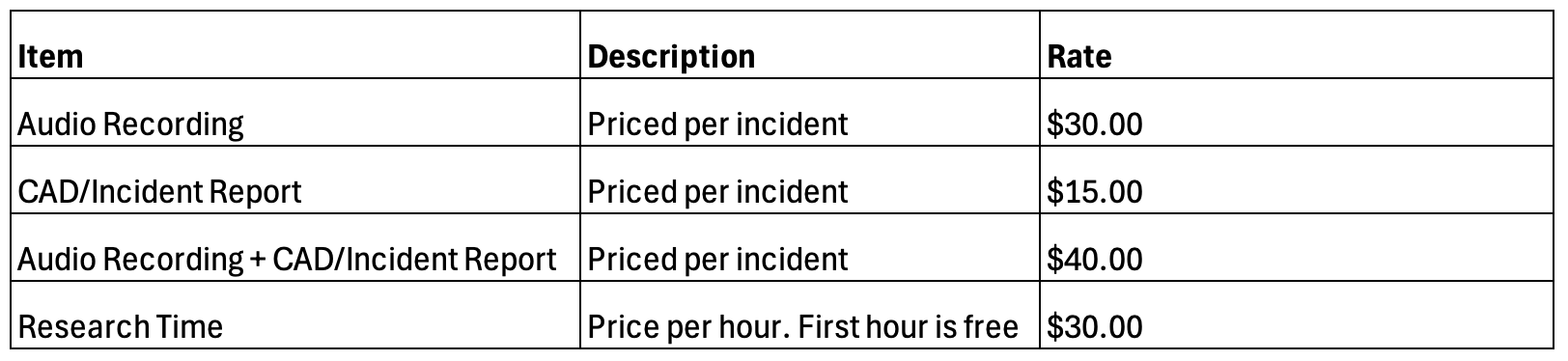
Select (1) Jeffcom911, (2) “Public Request”, (3) complete the form, and submit your request.
Watch your inbox for emails from GovTransfer.com for updates on your request.
Requests will be processed upon receipt of payment. If payment is not received within 14 days, your request will be canceled. Jeffcom’s retention schedule is 2 years plus the current year.